
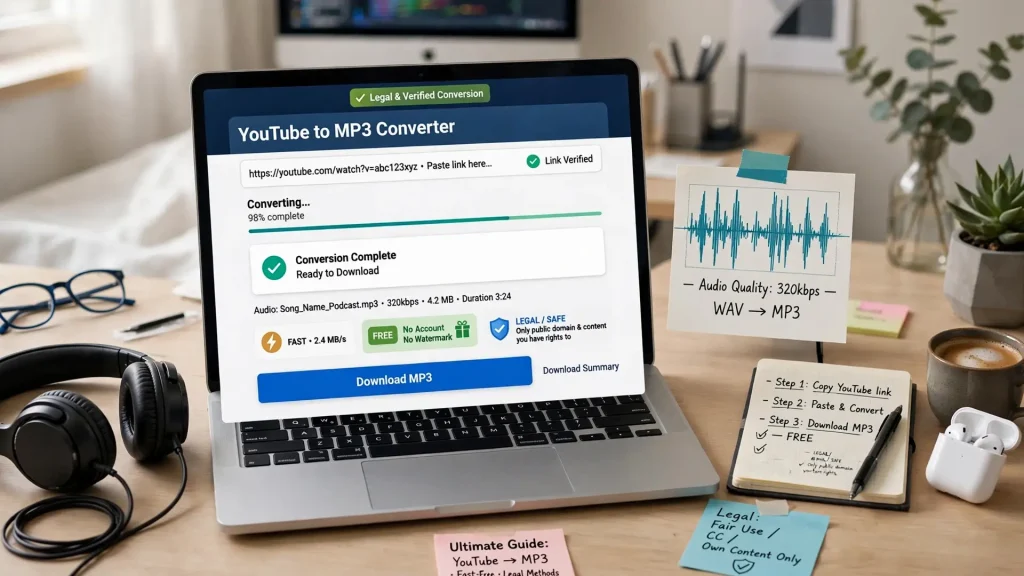
Want to enjoy audio offline without constant buffering or streaming? Converting YouTube videos to MP3 can be a convenient way to listen to podcasts, educational content, music you have permission to download, and other eligible content on your preferred device.
In this guide, we’ll explore the easiest ways to convert YouTube videos to MP3, explain the legal considerations, compare different conversion methods, and share practical tips for getting the best audio quality.
Why Convert YouTube Videos to MP3?
YouTube offers an enormous collection of music, podcasts, interviews, tutorials, and other audio-rich content. Having an audio file can be useful when you want to listen without keeping a video open or repeatedly streaming the same content.
Converting eligible content to MP3 can offer several advantages:
- Offline listening: Play downloaded audio when an internet connection isn’t available.
- Reduced data usage: Avoid repeatedly streaming the same content.
- Device flexibility: MP3 files work with many phones, computers, car stereos, and media players.
- Easy organization: Build personal playlists and organize audio files locally.
- Convenient playback: Listen without keeping a video window open.
The right converter can make the process quick and straightforward, particularly for users who don’t want to install additional software.
Is It Legal to Convert YouTube Videos to MP3?
Before downloading or converting anything, it’s important to understand copyright and YouTube’s terms.
Not every YouTube video can legally be downloaded or converted. Generally, the safest choices are content that you own, content that the copyright holder has explicitly made available for download, public-domain material, or content for which you have permission.
Common examples include:
- Your own videos: Content you’ve uploaded and own the necessary rights to.
- Public-domain material: Content that is genuinely in the public domain.
- Creator-authorized downloads: Videos whose creators explicitly permit downloading or provide an official download option.
- Licensed or permission-based content: Material you’re legally allowed to download and use.
A YouTube Premium subscription provides an official way to save supported content for offline playback within YouTube, although this does not create standalone MP3 files.
Copyright exceptions such as fair use vary by country and depend heavily on the circumstances. Personal use alone does not automatically make copying copyrighted material legal.
Best practice: Always check the video’s licensing information and make sure you have the necessary rights or permission before downloading or converting it.
The Best Ways to Convert YouTube to MP3
There are several approaches available, each with its own advantages and disadvantages.
Method 1: Online YouTube-to-MP3 Converters
Online converters are usually the simplest option because they don’t require software installation.
The general process is straightforward:
- Copy the URL of the eligible YouTube video.
- Open a reputable conversion service.
- Paste the video URL.
- Select MP3 or your preferred audio format.
- Choose the available quality setting.
- Start the conversion.
- Download the resulting audio file.
Advantages:
- No installation required
- Works across many devices
- Simple for beginners
- Convenient for occasional conversions
Potential drawbacks:
- Some websites contain intrusive advertising
- Conversion speeds can vary
- Some services impose file or usage limits
- Privacy and security practices differ between providers
Avoid websites that ask you to install suspicious software, browser extensions, or unrelated applications simply to download an audio file.
Method 2: Browser Extensions
Browser extensions can integrate downloading or media-processing features directly into your browser.
They may be convenient for frequent users, but extensions can introduce additional privacy and security considerations. Browser policies can also change, causing extensions to lose functionality.
Before installing one, check its publisher, permissions, reviews, and update history.
Method 3: Desktop Applications
Desktop applications are often better suited to users who regularly process multiple files or playlists.
Programs designed for audio extraction may provide features such as:
- Batch processing
- Playlist support
- Audio-format selection
- Metadata management
- Custom quality settings
- Download queues
The trade-off is that you’ll need to install and periodically update the software. Only download applications from trustworthy sources.
What Makes a Good YouTube-to-MP3 Converter?
If you’re choosing a conversion service, don’t focus on speed alone. A reliable tool should offer a combination of convenience, quality, transparency, and security.
Important features include:
- Good audio quality: Multiple bitrate options can help balance quality and file size.
- Simple interface: The conversion process shouldn’t require technical knowledge.
- Broad compatibility: The service should work well on common browsers and devices.
- Reasonable processing speed: Faster isn’t necessarily better if quality is compromised.
- Clear privacy practices: Understand what information the service collects and retains.
- No unnecessary software: Be cautious of services that require unrelated downloads.
- Transparent limitations: Any usage restrictions should be clearly explained.
- Multiple formats: MP3, M4A, and WAV may be useful for different purposes.
Be skeptical of websites making unsupported claims such as guaranteed conversion speeds, perfect audio quality, or a specific success rate.
Step-by-Step: Converting an Eligible YouTube Video
Once you’ve confirmed that you’re allowed to download the content, the process is generally simple.
1. Find the video
Open YouTube and locate the video containing the audio you want to save.
2. Copy the URL
Use YouTube’s Share button and select Copy link, or copy the URL from your browser.
3. Open your chosen converter
Use a reputable service that supports the format and content you’re legally allowed to download.
4. Paste the URL
Enter the video address into the converter’s input field.
5. Select MP3 and your preferred quality
If bitrate options are available, choose one appropriate for your needs. Higher bitrates generally produce larger files, but they cannot restore audio information that wasn’t present in the original source.
6. Start the conversion
Begin the conversion process and wait for it to finish.
7. Download and organize the file
Save the resulting MP3 and organize it in your preferred music or audio library.
Tips for Better Audio Quality
Getting the best possible MP3 doesn’t simply mean choosing the highest bitrate.
Keep these tips in mind:
- Start with a high-quality source video.
- Choose a reasonable bitrate for your intended use.
- Remember that converting low-quality audio to a higher bitrate doesn’t improve the original sound.
- Use lossless formats such as WAV when you specifically need uncompressed audio.
- Check metadata such as artist, title, and album information after conversion.
- Keep your original source files when you own the content.
For everyday listening, a well-encoded MP3 at a moderate-to-high bitrate is often more than sufficient.
Common Mistakes to Avoid
Converting online content can be straightforward, but there are several common pitfalls.
Downloading copyrighted material without permission
Don’t assume that publicly accessible content is automatically free to download or redistribute. Verify the licensing terms first.
Using questionable converter websites
Excessive pop-ups, misleading download buttons, forced software installations, and suspicious redirects are warning signs.
Expecting higher bitrate to create better sound
A converter cannot create audio detail that wasn’t present in the source. Increasing the bitrate can simply produce a larger file.
Installing unnecessary software
If an online conversion service suddenly asks you to install an unfamiliar application or extension, reconsider whether the service is trustworthy.
Ignoring security
Scan downloaded files when appropriate and keep your browser, operating system, and security software updated.
Online Converter vs. Browser Extension vs. Desktop Software
| Feature | Online Converter | Browser Extension | Desktop Software |
|---|---|---|---|
| Installation | None | Required | Required |
| Ease of use | Excellent | Good | Good |
| Batch processing | Varies | Varies | Usually strong |
| Device flexibility | High | Browser-dependent | Computer-dependent |
| Best for | Occasional use | Frequent browser users | Power users |
| Maintenance | Minimal | Updates may be required | Updates required |
The best option depends on how frequently you convert files and what features you need.
Frequently Asked Questions
Can every YouTube video be converted to MP3?
No. Availability and legality depend on the content, its licensing, and your rights to download it.
Does converting to MP3 reduce quality?
MP3 is a lossy format, so conversion can reduce audio quality compared with the original source. The impact depends on the source and encoding settings.
Is 320kbps always better?
Not necessarily. A higher bitrate generally means a larger file, but it cannot improve audio beyond the quality of the original source.
Can I convert YouTube playlists?
Some tools support playlists, but you should only download or convert content you’re legally permitted to use.
Is YouTube Premium the same as downloading an MP3?
No. YouTube Premium’s offline feature is designed for playback within the YouTube ecosystem rather than creating standalone MP3 files.
The Future of YouTube Audio Conversion
As streaming platforms evolve, the tools surrounding online media are likely to continue changing. Improvements in audio encoding, metadata handling, browser technology, and media-management software may make legitimate offline audio workflows more convenient.
At the same time, copyright enforcement and platform policies will remain important considerations. Users should always prioritize authorized downloads and respect creators’ rights.
Conclusion
Converting YouTube content to MP3 can be a convenient way to enjoy eligible audio offline, but the most important consideration is making sure you have the right to download and use the content.
Online converters offer simplicity, browser extensions provide convenience, and desktop applications can be useful for larger collections. Whichever approach you choose, look for a service that emphasizes security, transparent practices, good audio quality, and ease of use.
Most importantly, only convert content that you’re legally permitted to download. With the right approach, you can enjoy convenient offline audio while respecting copyright and the creators who produce the content.
Leave a Reply