
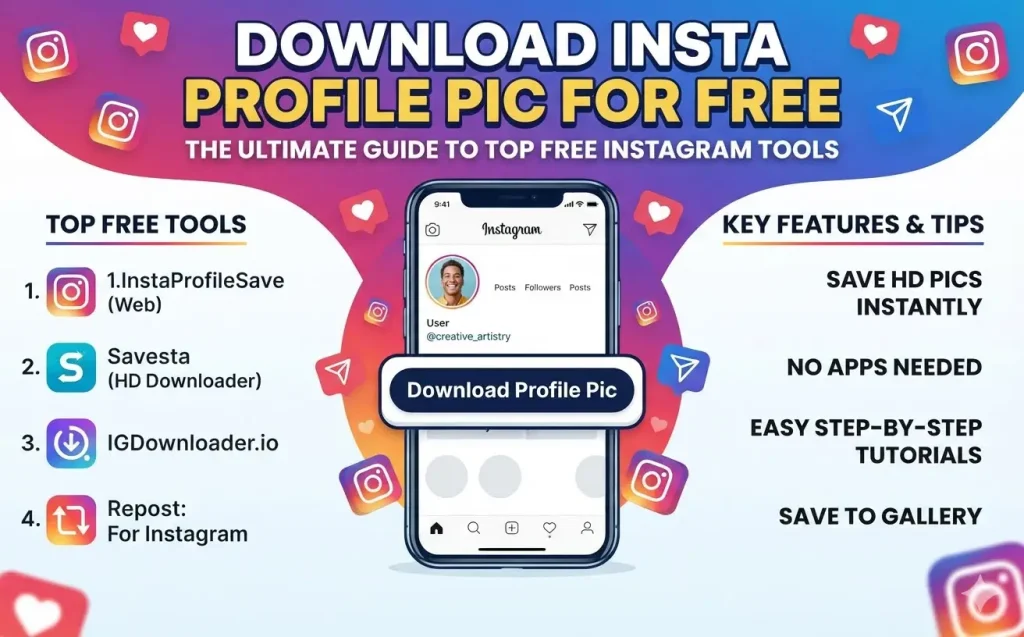
Ever tried zooming in on an Instagram profile picture, only to realize the platform simply won’t let you double-tap or pinch to expand it? We’ve all been there. Whether you are a social media manager archiving competitor assets, a creator looking for inspiration, or just curious about who that new follower with the tiny thumbnail is, saving an Instagram display picture (DP) in full resolution can feel surprisingly difficult.
Because Instagram doesn’t offer a built-in feature to download or enlarge profile photos, most people resort to taking a screenshot and cropping it. The result? A pixelated, blurry mess.
The good news is that you don’t need to install suspicious apps or pay for software. With web-based tools, you can download any public Instagram profile picture in crisp, high-definition (HD) quality for free.
Here is your ultimate guide to downloading Instagram profile pictures safely, anonymously, and instantly.
Why Can’t You Save Profile Pictures Directly on Instagram?
Instagram prioritizes user privacy and platform engagement. By keeping profile pictures fixed at tiny dimensions (typically 110×110 pixels on mobile devices), Instagram reduces the risk of unauthorized impersonation.
However, this design choice creates a frustrating barrier when you legitimately need to view an image clearly. When you take a screenshot of a tiny circle on your screen, you are capturing a tiny fraction of your screen’s pixels. Web-based downloader tools solve this problem by fetching the raw, source file directly from Instagram’s servers—allowing you to see and save the full 1080p image as originally uploaded.
Top Free Tools to Download Insta Profile Pics in HD
You don’t need to log into your account or compromise your credentials to save high-resolution profile pictures. These web-based tools work directly inside your browser on iOS, Android, Windows, and Mac.
1. Save-Free
Save-Free is a fast, web-based tool designed specifically for Instagram media extraction.
- Best For: Instant viewing and zooming.
- Key Features: Features dedicated profile picture zoom capabilities, direct HD download links, and works without an account.
- Why Use It: It is lightweight, mobile-optimized, and loads instantly without aggressive popup ads.
2. Inflact
Inflact is a full-featured social media toolkit that offers a dedicated Instagram Profile Picture Downloader.
- Best For: High-definition quality and additional account Insights.
- Key Features: Extracts maximum-resolution files, allows full-profile viewing, and maintains complete anonymity.
- Why Use It: It delivers reliable original HD quality for public accounts.
3. SaveInsta (SaveClip)
SaveInsta is a popular utility tool designed for grabbing all forms of Instagram media.
- Best For: Multi-purpose Instagram downloading.
- Key Features: Supports profile pictures, single photos, videos, Reels, and IGTV content.
- Why Use It: If you frequently need to grab both profile photos and video assets, SaveInsta serves as an all-in-one hub.
Step-by-Step Tutorial: How to Download Insta Profile Pics for Free
Downloading high-res profile pictures takes less than 30 seconds. Follow these steps using any modern web browser:
Step 1: Copy the Profile Link or Username
- Open the Instagram app or visit Instagram.com.
- Navigate to the profile picture you want to save.
- Tap the three dots (…) in the upper-right corner of the profile page.
- Select Copy Profile URL. Alternatively, simply make a note of the exact @username.
Step 2: Open a Free Online Downloader
- Launch Safari, Chrome, or your preferred browser.
- Go to your web-based tool of choice (e.g., Save-Free, Inflact, or SaveInsta).
Step 3: Paste and View
- Paste the copied URL or type the
@usernameinto the search box. - Click Download or View.
- The tool will retrieve the profile picture in its original full size.
Step 4: Save to Your Device
- Tap or click the Download Image button.
- On iPhone (iOS): The image will save to your Safari Downloads folder. Tap the download icon in your address bar and choose Save Image to move it to your Photos app.
- On Android: The high-resolution file saves directly into your device’s Downloads folder or photo gallery.
Essential Safety & Privacy Tips
While web downloaders are safe and convenient, keep these rules in mind to protect your privacy and security:
- Never Enter Your Instagram Password: Legitimate online profile picture downloaders only require a public URL or username. If a site asks you to log into your Instagram account to view a public profile, leave immediately.
- Avoid Installing Third-Party Apps: Web-based browser tools require zero installation. Downloading unknown
.apkfiles or mobile applications can introduce malware to your device. - Respect Privacy & Copyright: Publicly available profile pictures are still subject to copyright laws. Never re-upload someone else’s photo, use it for commercial gain, or create fake accounts using saved assets.
- Be Aware of Public vs. Private Profiles: Most tools effortlessly extract display photos from public accounts. While some services claim to view private account profile pictures, accessibility can vary based on platform updates.
Frequently Asked Questions (FAQ)
Does Instagram notify someone when you save their profile picture?
No. Instagram does not notify users when you view or download their profile picture. Online downloaders act as anonymous web viewers, meaning your action remains completely private.
Why is the downloaded picture blurry?
If your image appears low-quality, the original account owner likely uploaded a low-resolution image to begin with. Downloader tools fetch the maximum resolution uploaded to Instagram’s servers, but they cannot artificially upscale an image beyond its original source quality.
Can I download profile pictures on desktop and mobile?
Yes! Web-based downloaders are fully responsive and work seamlessly across mobile devices (iOS/Android) and desktop operating systems (Windows, macOS, Chrome OS).
Summary
Saving high-resolution Instagram profile pictures doesn’t require screenshots, software installations, or paid subscriptions. By using web-based tools like Save-Free or Inflact, you can view and download any public DP in full HD resolution within seconds—safely and anonymously.
Bookmark your favorite downloader tool today so you’re ready next time you need to view a profile photo in full detail!
Leave a Reply